Studies
Section titled “Studies”All Studies
Section titled “All Studies”Under the ‘All Studies’ tab, you can see the bibliographic data of all the studies uploaded to a project.
Administrators only - Systematic Searches
Section titled “Administrators only - Systematic Searches”Under ‘Systematic Searches’ you will see the number of systematic searches, the name, description, number of studies and the status of the systematic search. Status refers to the status of a systematic search upload where:
- Complete = the systematic search has been uploaded
- Transferring = the systematic search is still uploading
It is possible to upload a new systematic search by clicking on the ‘Upload new systematic search’ button. Read more about Systematic Search formats here.
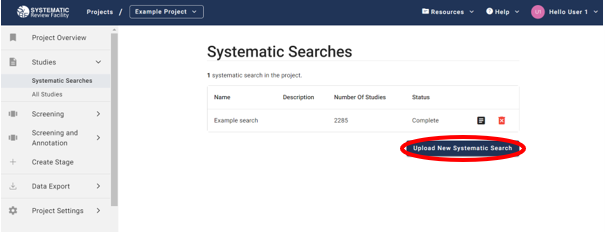
To delete a systematic search from your project click on the red bin icon. This action cannot be undone. This will remove the systematic search from this project and all screenings, annotations and outcome data for studies in this search will be lost.
Project administrators can also attach full-text PDFs to a search’s studies in bulk from its ⋮ menu — see Bulk Upload PDFs.